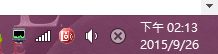
如圖,如果說切換到 非打字欄位出現這畫面很正常,但反之,若切換到可輸入資料的欄位卻無法正常顯示,可以先嘗試使用 Ctrl + Space (空白鍵)。若依舊無法啟動,表示此程式可能已關閉/崩潰。
Try:Ctrl + R,輸入 「C:\Windows\system32\ctfmon.exe」按下Enter。輸入法就應該會回來了。

如圖,如果說切換到 非打字欄位出現這畫面很正常,但反之,若切換到可輸入資料的欄位卻無法正常顯示,可以先嘗試使用 Ctrl + Space (空白鍵)。若依舊無法啟動,表示此程式可能已關閉/崩潰。
Try:Ctrl + R,輸入 「C:\Windows\system32\ctfmon.exe」按下Enter。輸入法就應該會回來了。
This entry was posted in Experience, Functions, General By Weil Jimmer.

Hi! Everyone! My name is Weil Jimmer. This is my personal blog. I'm a webmaster of this site. I hope the site will be popular. Now, Let's go! Enjoy gaining more knowledge.