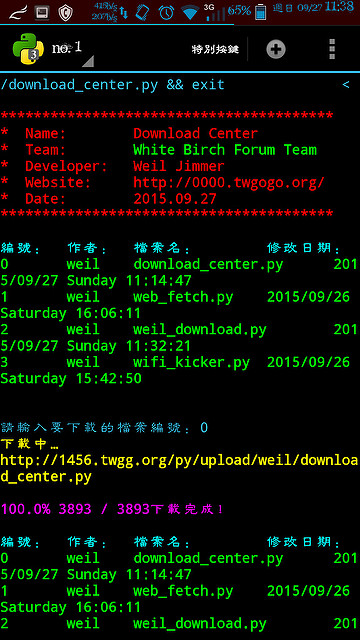
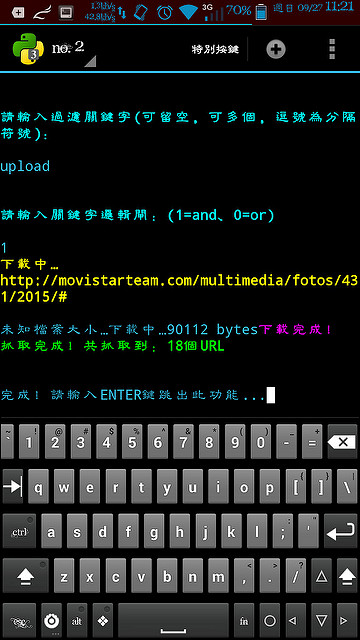
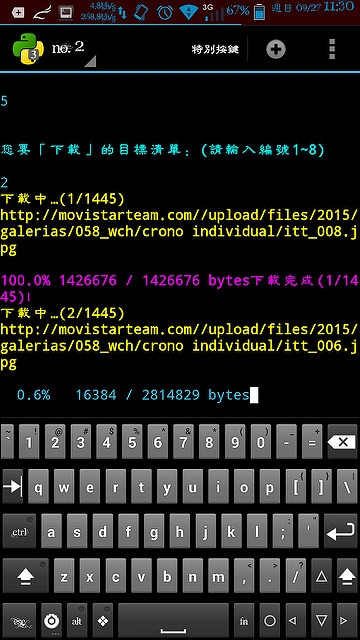
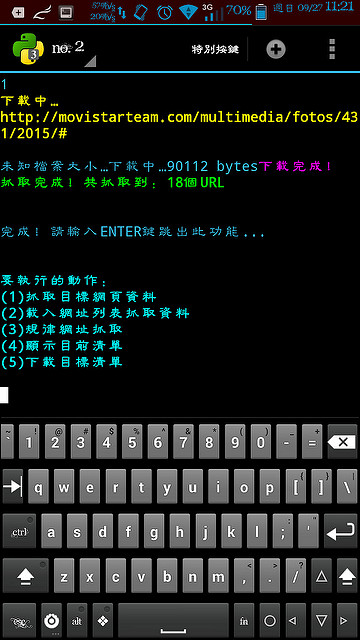
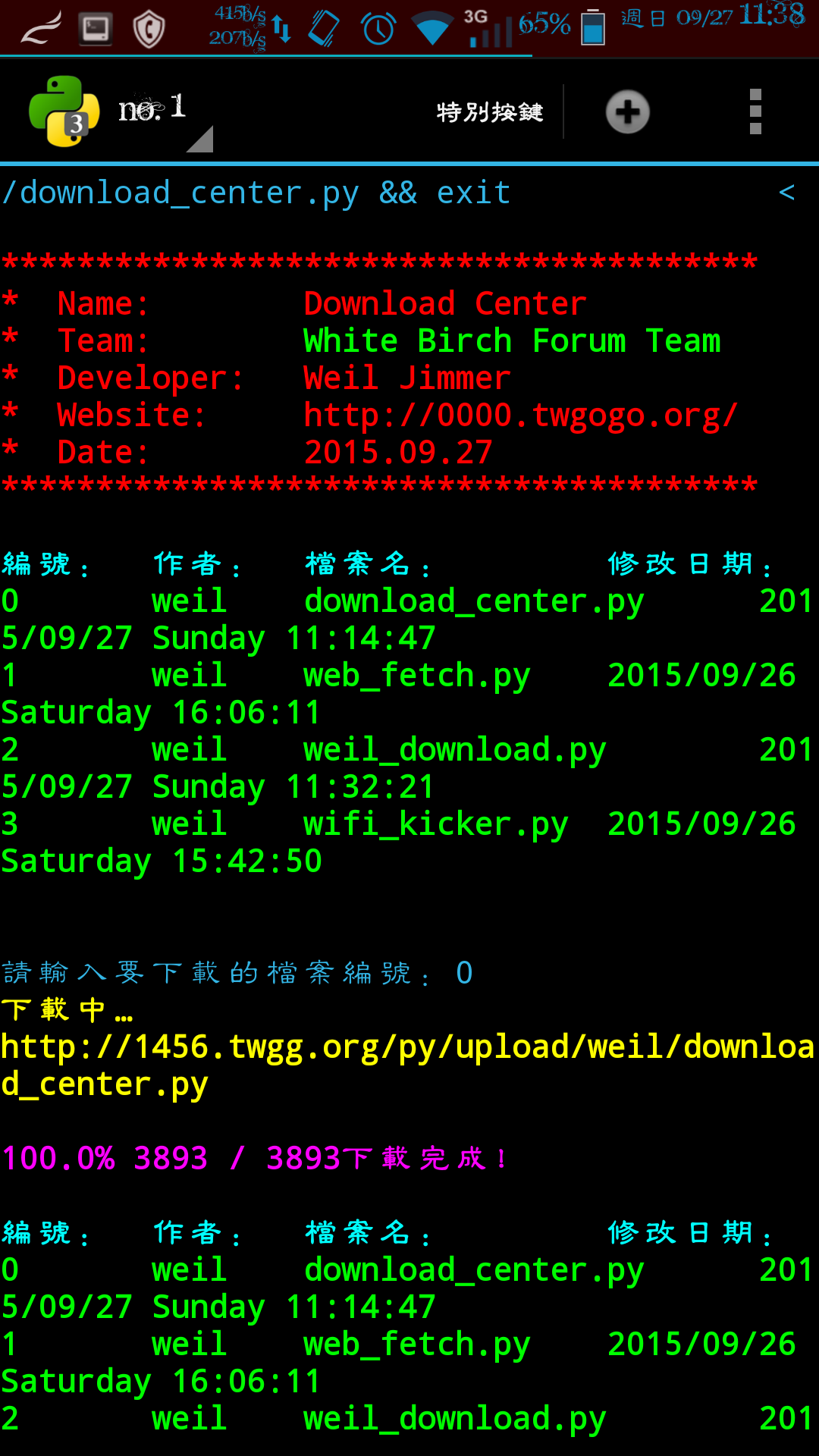
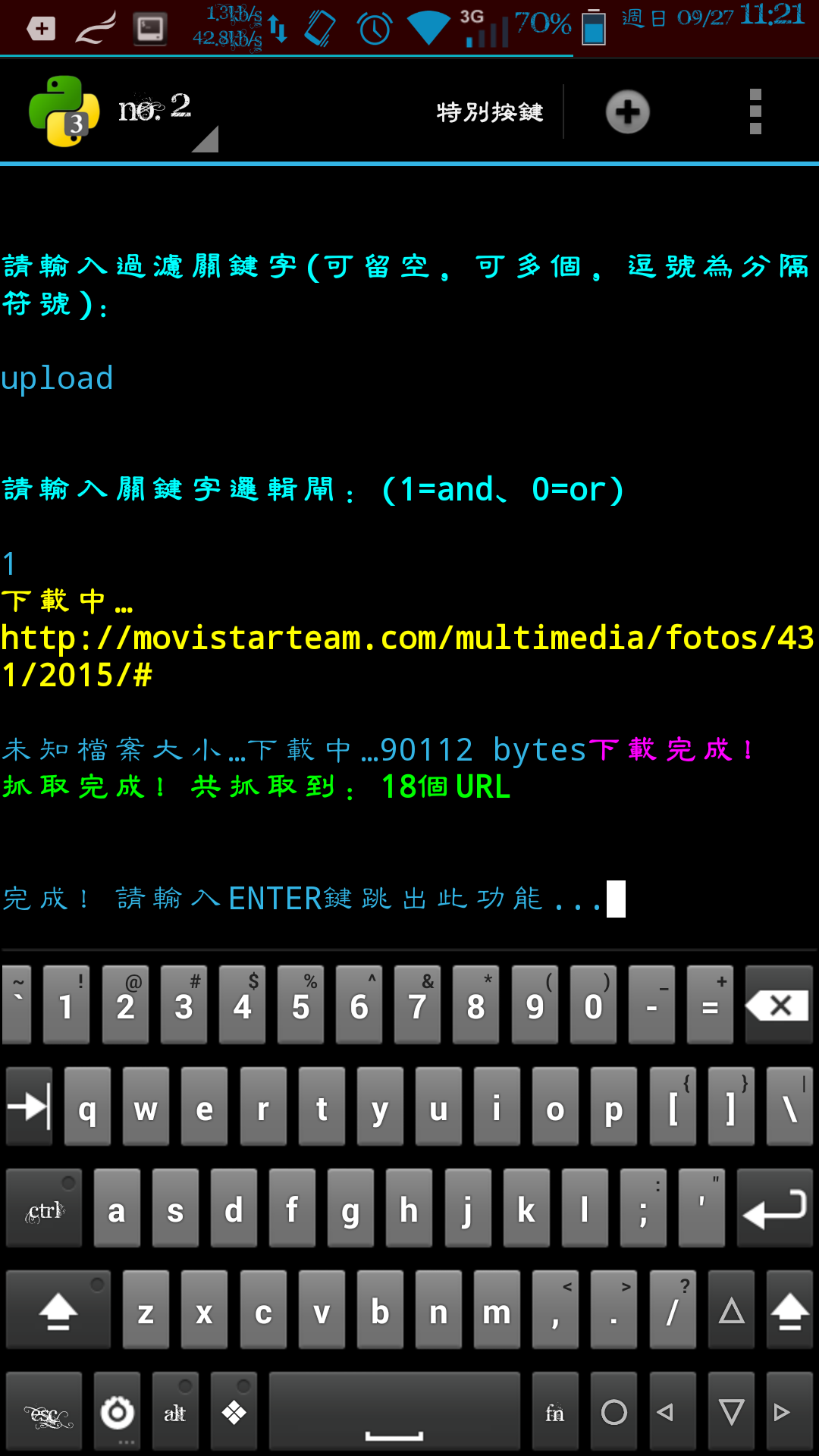
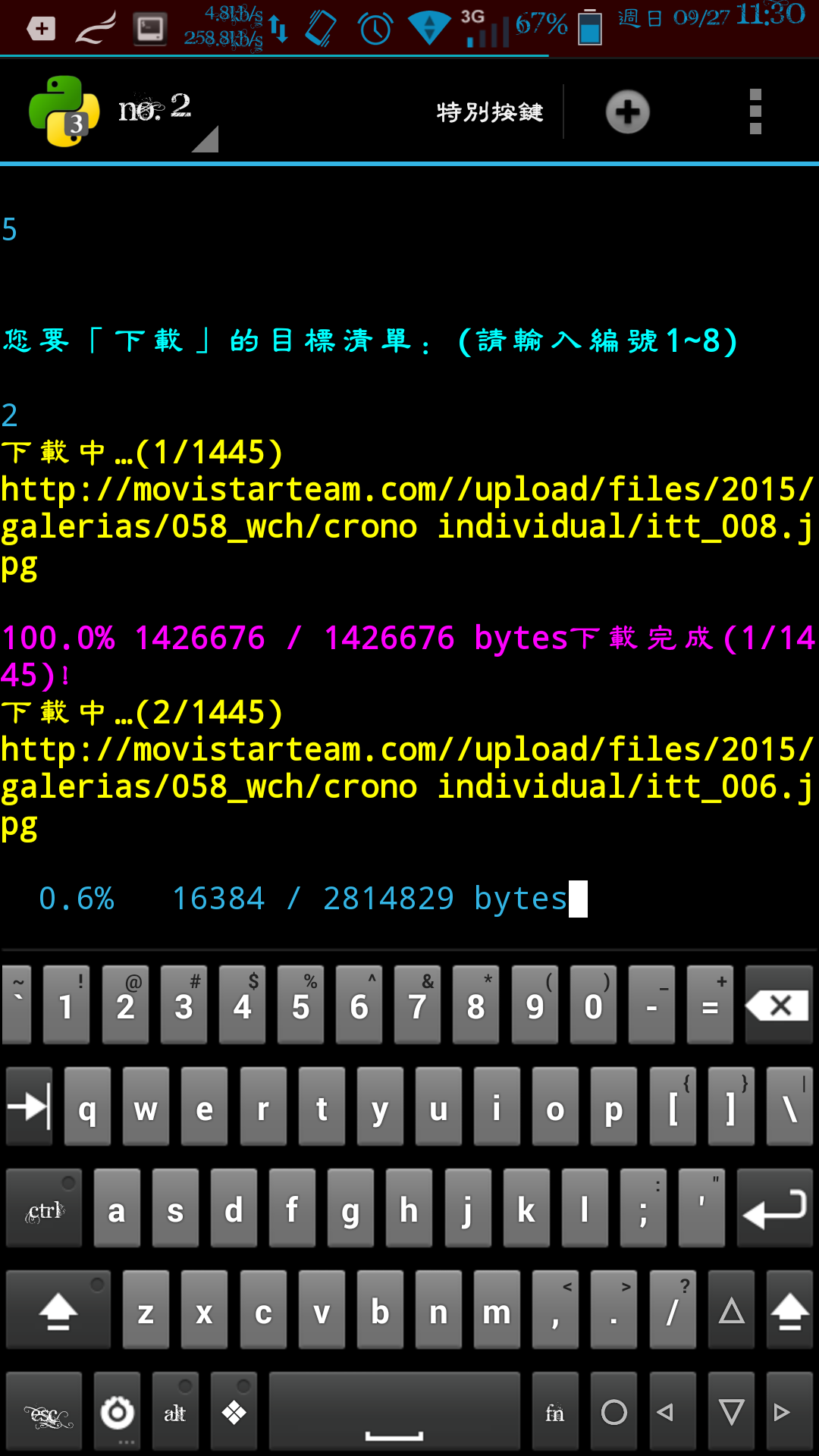
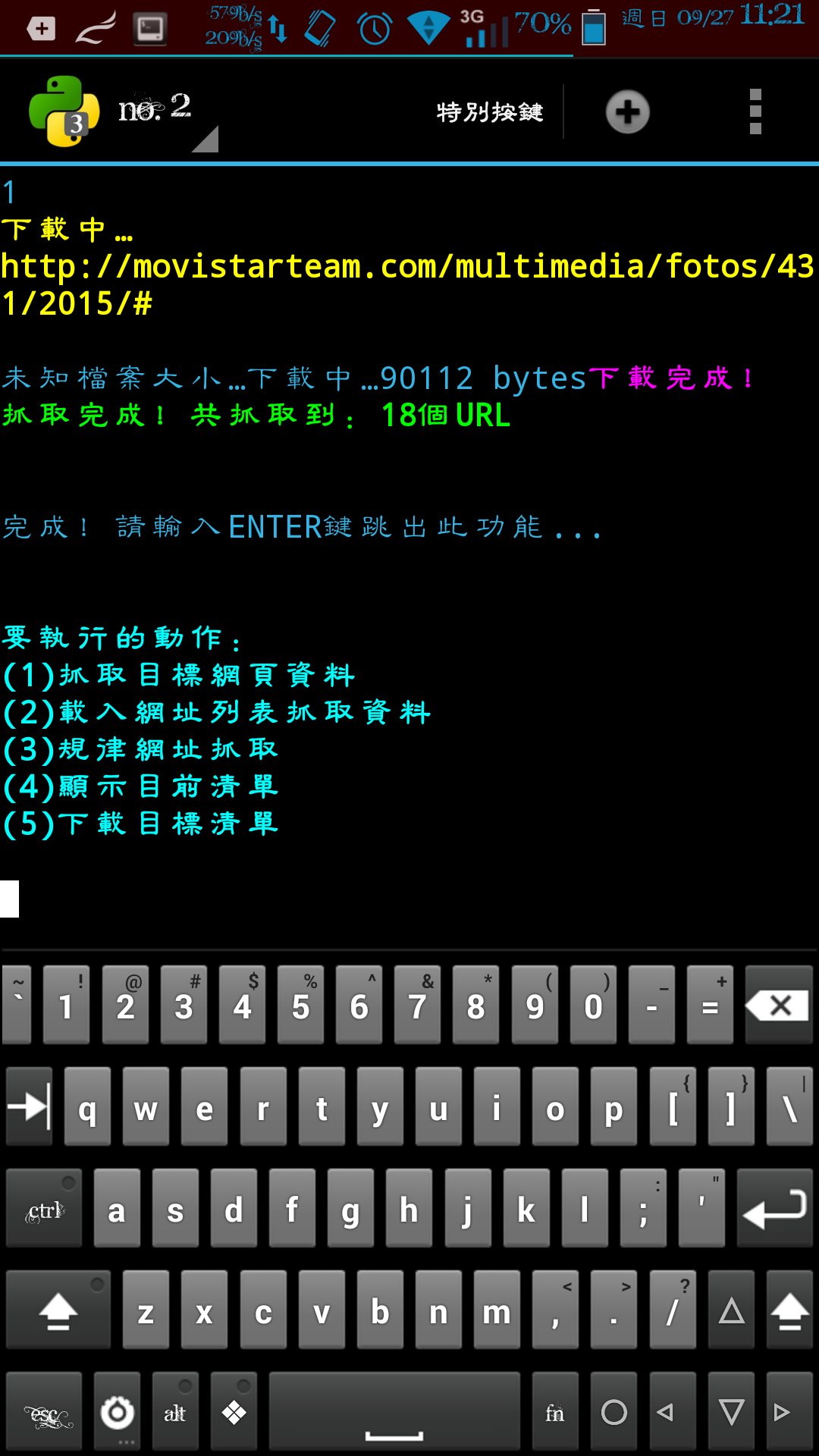
我會寫這個,一來是為了讓朋友羨慕也想學程式,二來是我自己要用。我不會閒閒開發一個我用不到的東西。總是開發者要支持一下自己的產品嘛。
這是用Python3寫成的程式,主要針對手機而使用。需要安裝BeautifulSoup4。
(在Windows下的命令提示字元顯示很醜,沒有顏色,實際上在手機Linux終端機裡面跑的時候,會有顏色。)
主要支援以下功能:
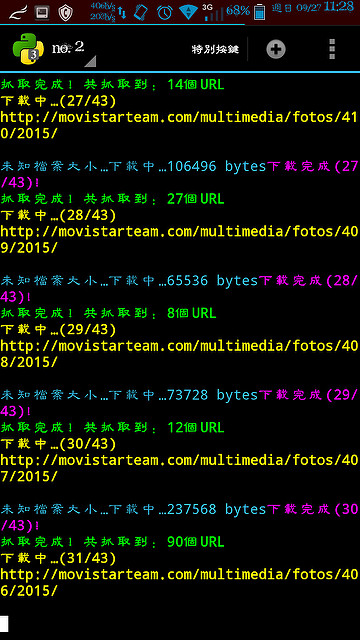
一、抓取目標URL的目標連結。
例如我要抓取IG某個頁面的所有圖片。
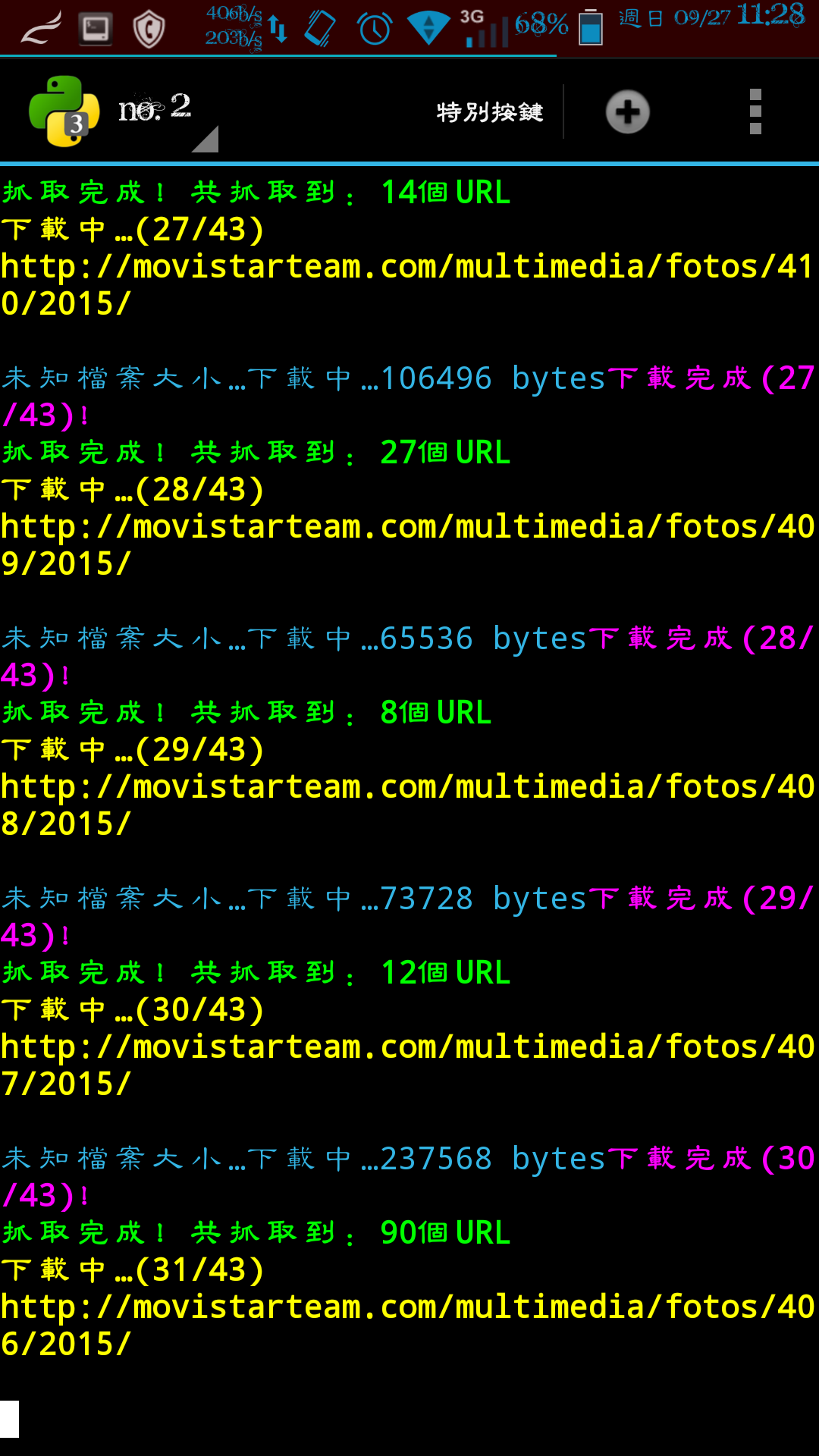
二、載入網頁列表,抓取目標連結。
例如:載入某網站相簿的第一頁,抓取圖片,然後載入第二頁,抓取圖片,載入第三頁……以此類推。
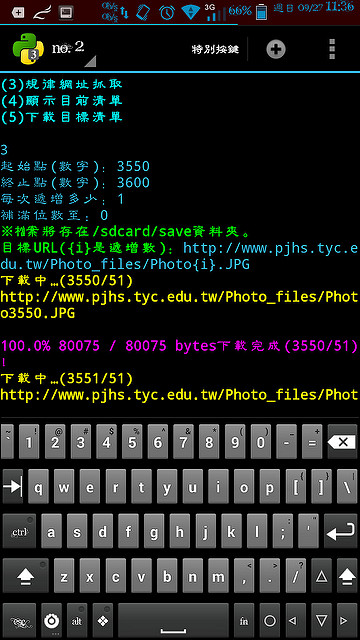
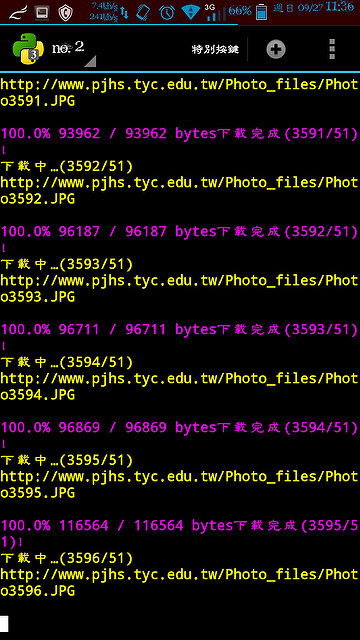
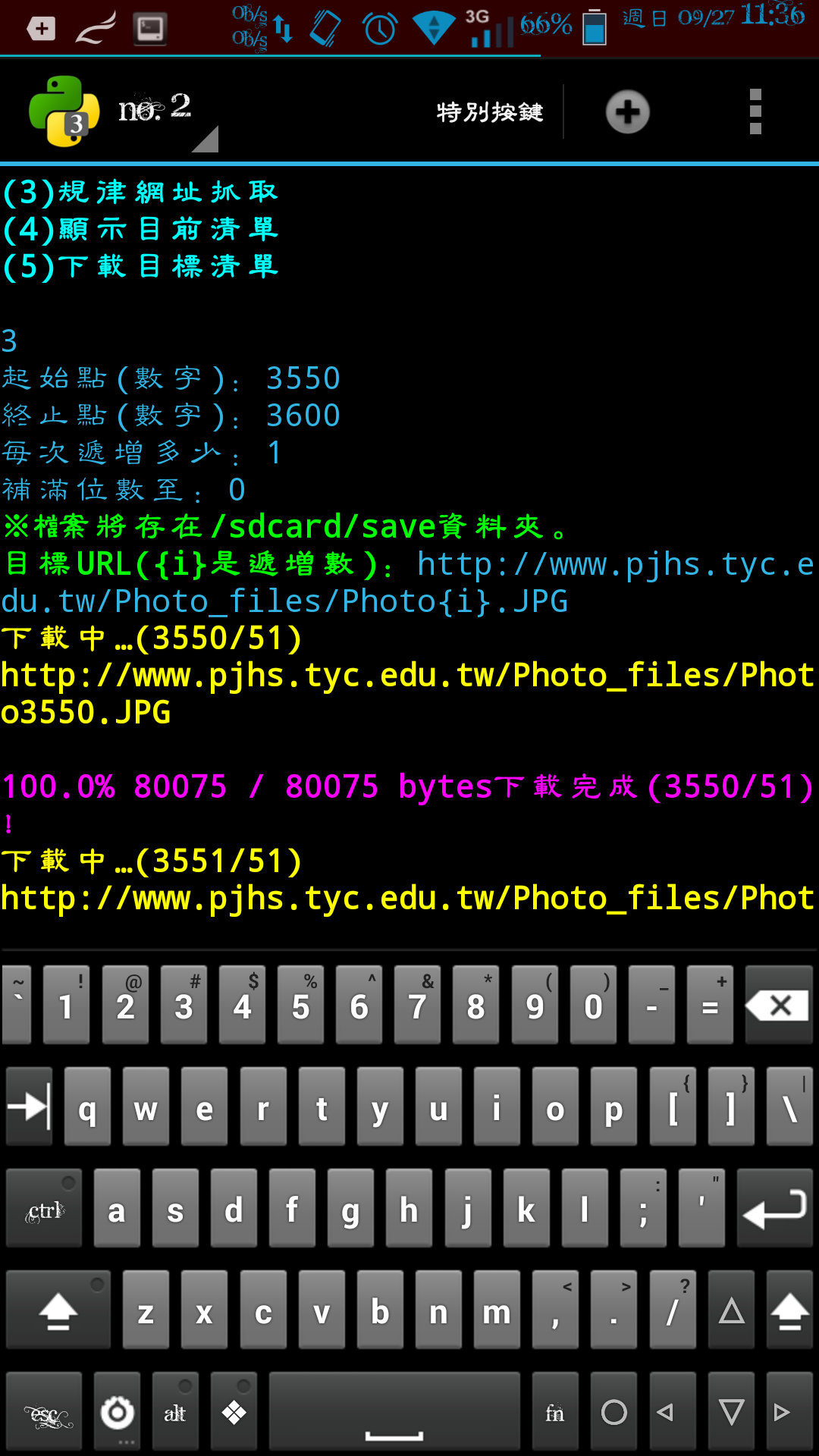
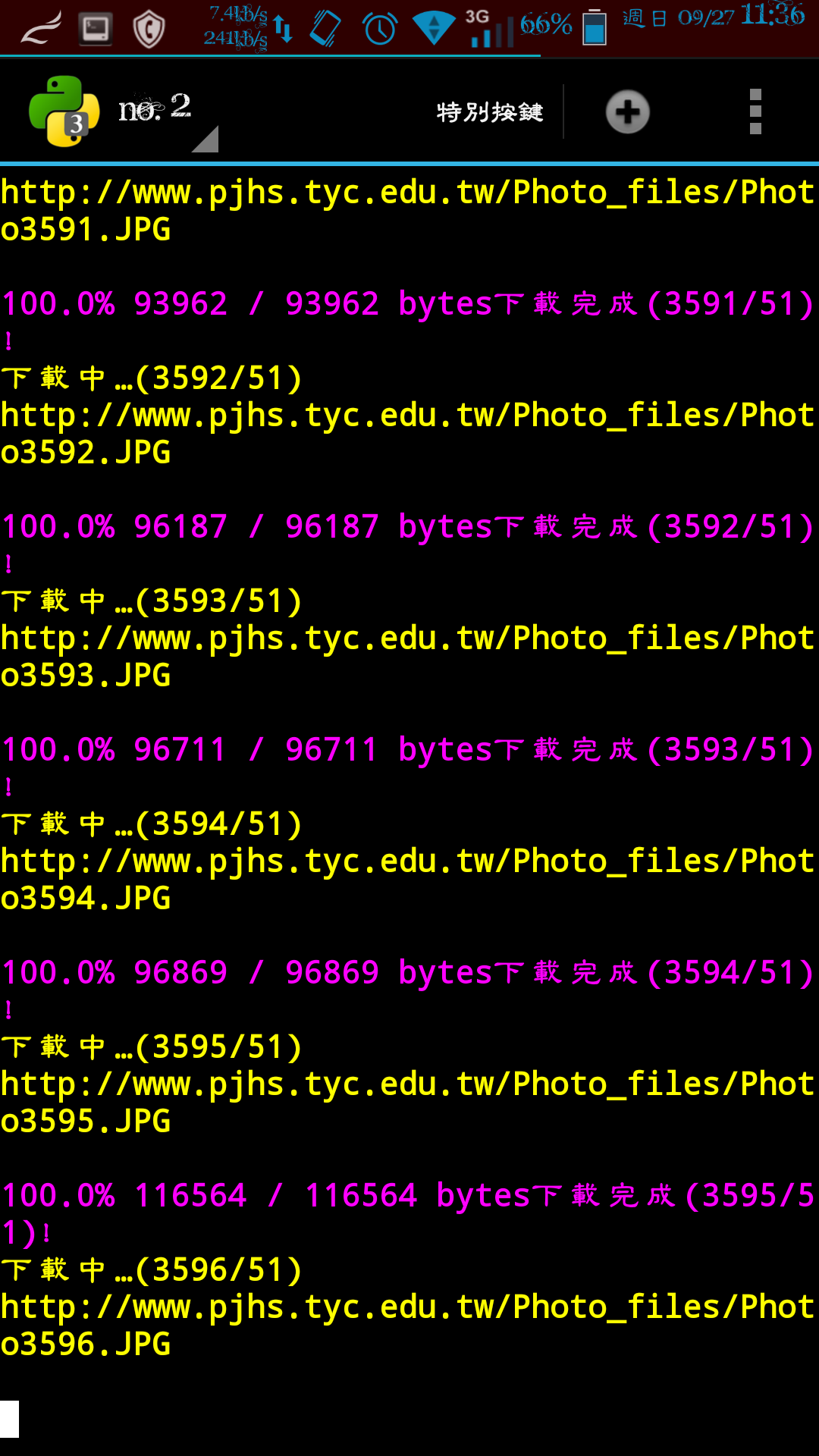
三、規律網址抓取,這個算是最低階的方法吧。
例如:下載http://example.com/1.jpg,下載http://example.com/2.jpg,下載http://example.com/3.jpg,下載/4.jpg下載/5.jpg……
四、顯示目標清單。
五、下載清單上的連結。
至於抓圖功能,我可以稱進階抓圖器是沒有講假的,雖然還比不上我用VB.NET寫出來的 強大。那種仿一般正常用戶框架又有COOKIE、HEADER、還解析JS,Python很難辦得到。
所以,頂多次級一點。
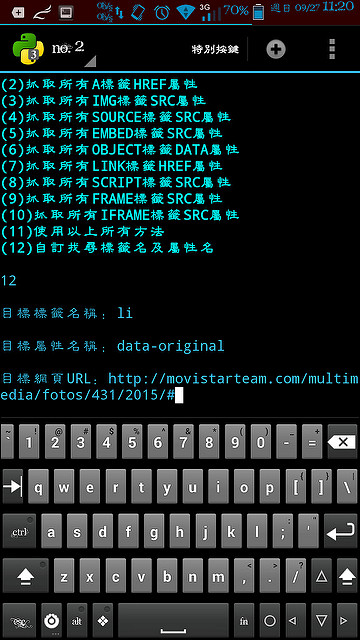
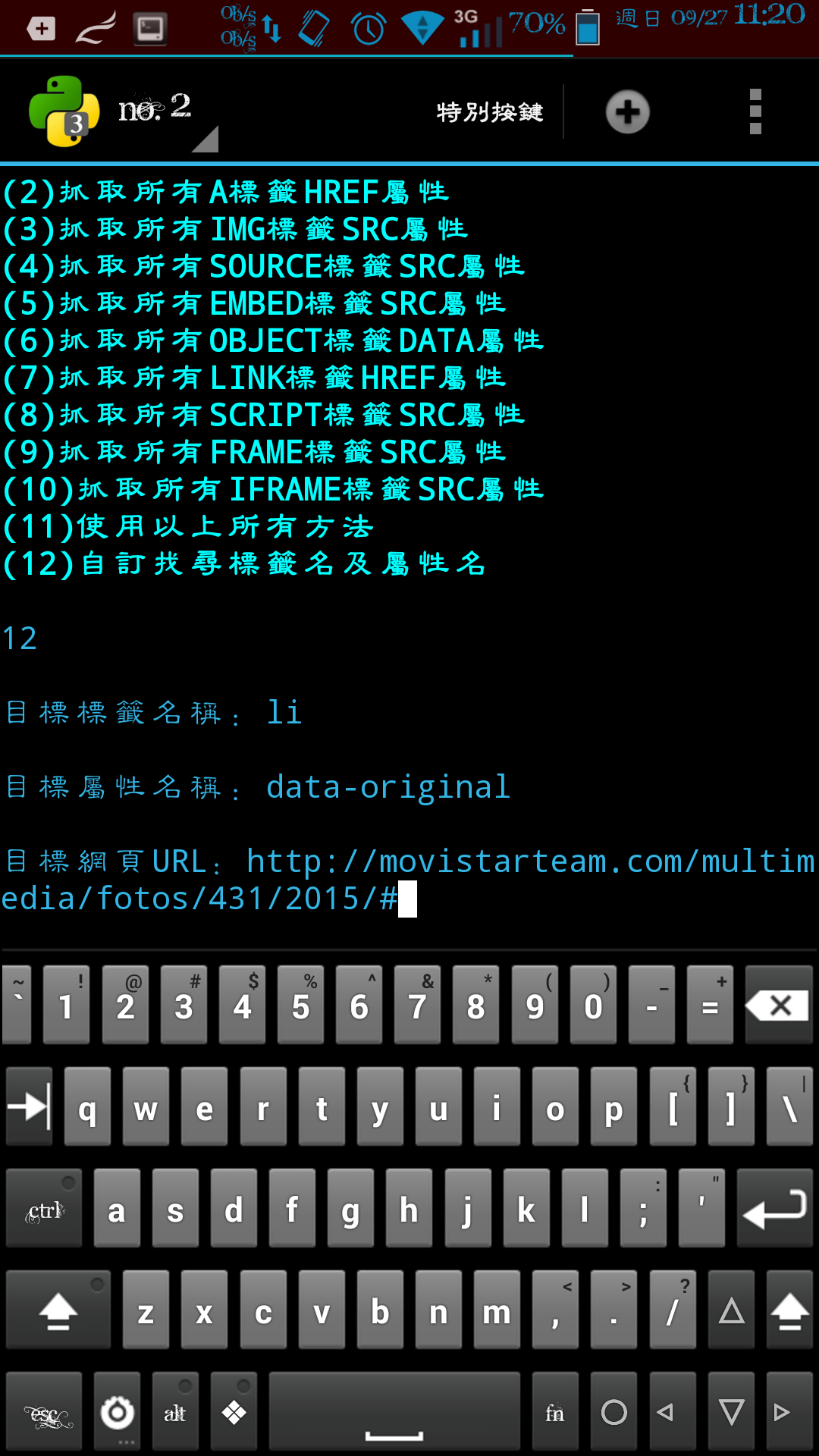
支援:
一、抓取頁面上所有「看起來是網址」的連結。(即便它沒有被鑲入在任何標籤內)(採用正規表達式偵測)
二、抓取A標籤的屬性HREF。(超連結)
三、抓取IMG標籤的屬性SRC。(圖片)
四、抓取SOURCE標籤的屬性SRC。(HTML5的audio、movie)
五、抓取EMBED標籤的SRC屬性。(FLASH)
六、抓取OBJECT標籤的DATA屬性。(網頁插件)
七、LINK標籤的HREF屬性。(CSS)
八、SCRIPT標籤的SRC屬性。(JS)
九、FRAME標籤的SRC屬性。(框架)
十、IFRAME標籤的SRC屬性。(內置框架)
十一、以上全部。
十二、自訂抓取標籤名稱與屬性名稱。(這個我VB板的進階抓圖器沒有這項功能)
支援 過濾關鍵字,包刮AND、OR邏輯閘,一定要全部包刮關鍵字,或是命中其一關鍵字。
規律網址下載則支援,起始數字、終止數字、每次遞增多少、補位多少。
※這個有相對位置的處理。
****************************************
* 名稱:進階下載器
* 團隊:White Birch Forum Team
* 作者:Weil Jimmer
* 網站:http://0000.twgogo.org/
* 時間:2015.09.26
****************************************
Source Code:
# coding: utf-8
"""Weil Jimmer For Safe Test Only"""
import os,urllib.request,shutil,sys,re
from threading import Thread
from time import sleep
from sys import platform as _platform
GRAY = "\033[1;30m"
RED = "\033[1;31m"
LIME = "\033[1;32m"
YELLOW = "\033[1;33m"
BLUE = "\033[1;34m"
MAGENTA = "\033[1;35m"
CYAN = "\033[1;36m"
WHITE = "\033[1;37m"
BGRAY = "\033[1;47m"
BRED = "\033[1;41m"
BLIME = "\033[1;42m"
BYELLOW = "\033[1;43m"
BBLUE = "\033[1;44m"
BMAGENTA = "\033[1;45m"
BCYAN = "\033[1;46m"
BDARK_RED = "\033[1;48m"
UNDERLINE = "\033[4m"
END = "\033[0m"
if _platform.find("linux")<0:
GRAY = ""
RED = ""
LIME = ""
YELLOW = ""
BLUE = ""
MAGENTA = ""
CYAN = ""
WHITE = ""
BGRAY = ""
BRED = ""
BLIME = ""
BYELLOW = ""
BBLUE = ""
BMAGENTA = ""
BCYAN = ""
UNDERLINE = ""
END = ""
os.system("color e")
try:
import pip
except:
print(RED + "錯誤沒有安裝pip!" + END)
input()
exit()
try:
from bs4 import BeautifulSoup
except:
print(RED + "錯誤沒有安裝bs4!嘗試安裝中...!" + END)
pip.main(["install","beautifulsoup4"])
from bs4 import BeautifulSoup
global phone_
phone_ = False
try:
import android
droid = android.Android()
phone_ = True
except:
try:
import clipboard
except:
print(RED + "錯誤沒有安裝clipboard!嘗試安裝中...!" + END)
pip.main(["install","PyGTK"])
pip.main(["install","clipboard"])
import clipboard
def get_clipboard():
global phone_
if phone_==True:
return str(droid.getClipboard().result)
else:
return clipboard.paste()
global target_url
target_url = [[],[],[],[],[],[],[],[],[]]
def __init__(self):
print("")
print (RED)
print ("*" * 40)
print ("* Name:\tWeil_Advanced_Downloader")
print ("* Team:" + LIME + "\tWhite Birch Forum Team" + RED)
print ("* Developer:\tWeil Jimmer")
print ("* Website:\thttp://0000.twgogo.org/")
print ("* Date:\t2015.10.09")
print ("*" * 40)
print (END)
root_dir = "/sdcard/"
print("根目錄:" + root_dir)
global save_temp_dir
global save_dir
save_dir=str(input("存檔資料夾:"))
save_temp_dir=str(input("暫存檔資料夾(會自動刪除):"))
global target_array_index
target_array_index = 0
def int_s(k):
try:
return int(k)
except:
return -1
def reporthook(blocknum, blocksize, totalsize):
readsofar = blocknum * blocksize
if totalsize > 0:
percent = readsofar * 1e2 / totalsize
s = "\r%5.1f%% %*d / %d bytes" % (percent, len(str(totalsize)), readsofar, totalsize)
sys.stderr.write(s)
if readsofar >= totalsize:
sys.stderr.write("\r" + MAGENTA + "%5.1f%% %*d / %d bytes" % (100, len(str(totalsize)), totalsize, totalsize))
else:
sys.stderr.write("\r未知檔案大小…下載中…" + str(readsofar) + " bytes")
#sys.stderr.write("read %d\n" % (readsofar,))
def url_encode(url_):
if url_.startswith("http://"):
return 'http://' + urllib.parse.quote(url_[7:])
elif url_.startswith("https://"):
return 'https://' + urllib.parse.quote(url_[8:])
elif url_.startswith("ftp://"):
return 'ftp://' + urllib.parse.quote(url_[6:])
elif ((not url_.startswith("ftp://")) and (not url_.startswith("http"))):
return 'http://' + urllib.parse.quote(url_)
return url_
def url_correct(url_):
if ((not url_.startswith("ftp://")) and (not url_.startswith("http"))):
return 'http://' + (url_)
return url_
def download_URL(url,dir_name,ix,total,encode,return_yes_no):
global save_temp_dir
prog_str = "(" + str(ix) + "/" + str(total) + ")"
if (total==0):
prog_str=""
file_name = url.split('/')[-1]
file_name=file_name.replace(":","").replace("*","").replace('"',"").replace("\\","").replace("|","").replace("?","").replace("<","").replace(">","")
if file_name=="":
file_name="NULL"
try:
print(YELLOW + "下載中…" + prog_str + "\n" + url + "\n" + END)
if not os.path.exists(root_dir + dir_name + "/") :
os.makedirs(root_dir + dir_name + "/")
opener = urllib.request.FancyURLopener({})
opener.version = 'Mozilla/5.0 (Windows NT 6.3; WOW64) AppleWebKit/537.36 (KHTML, like Gecko) Chrome/45.0.2454.101 Safari/537.36'
opener.addheader("Referer", url)
opener.addheader("X-Forwarded-For", "0.0.0.0")
opener.addheader("Client-IP", "0.0.0.0")
local_file,response_header=opener.retrieve(url_encode(url), root_dir + dir_name + "/" + str(ix) + "-" + file_name, reporthook)
print(MAGENTA + "下載完成" + prog_str + "!" + END)
except urllib.error.HTTPError as ex:
print(RED + "下載失敗" + prog_str + "!" + str(ex.code) + END)
except:
print(RED + "下載失敗" + prog_str + "!未知錯誤!" + END)
if return_yes_no==0:
return ""
try:
k=open(local_file,encoding=encode).read()
except:
k="ERROR"
print(RED + "讀取失敗!" + END)
try:
if dir_name==save_temp_dir:
shutil.rmtree(root_dir + save_temp_dir + "/")
except:
print(RED + "刪除暫存資料夾失敗!" + END)
return k
def check_in_filter(url_array,and_or,keyword_str):
if keyword_str=="":
return url_array
url_filter_array = []
s = keyword_str.split(',')
for array_x in url_array:
ok = True
for keyword_ in s:
if str(array_x).find(keyword_)>=0:
if and_or==0:
url_filter_array.append(array_x)
ok=False
break
else:
if and_or==1:
ok=False
break
if ok==True:
url_filter_array.append(array_x)
return url_filter_array
def handle_relative_url(handle_url,ori_url):
handle_url=str(handle_url)
if handle_url=="":
return ori_url
if handle_url.startswith("?"):
temp_form_url = ori_url
search_A = ori_url.find("?")
if search_A<0:
return ori_url + handle_url
else:
return ori_url[0:search_A] + handle_url
if handle_url.startswith("//"):
return "http:" + handle_url
if (handle_url.startswith("http://") or handle_url.startswith("https://") or handle_url.startswith("ftp://")):
return handle_url
root_url = ori_url
search_ = root_url.find("//")
if search_<0:
return handle_url
search_x = root_url.find("/", search_+2);
if (search_x<0):
root_url = ori_url
else:
root_url = ori_url[0:search_x]
same_dir_url = ori_url[search_+2:]
search_x2 = same_dir_url.rfind("/")
if search_x2<0:
same_dir_url = ori_url
else:
same_dir_url = ori_url[0:search_x2+search_+2]
if handle_url.startswith("/"):
return (root_url + handle_url)
if handle_url.startswith("./"):
return (same_dir_url + handle_url[1:])
return (same_dir_url + "/" + handle_url)
def remove_duplicates(values):
output = []
seen = set()
for value in values:
if value not in seen:
output.append(value)
seen.add(value)
return output
def get_text_url(file_content):
url_return_array = re.findall('(http|https|ftp)://([\w+?\.\w+])+([a-zA-Z0-9\~\!\@\#\$\%\^\&\*\(\)_\-\=\+\\\/\?\.\:\;\'\,]*)?', file_content)
return url_return_array
def get_url_by_tagname_attribute(file_content,tagname,attribute,url_):
soup = BeautifulSoup(file_content,'html.parser')
url_return_array = []
for link in soup.find_all(tagname):
if link.get(attribute)!=None:
url_return_array.append(handle_relative_url(link.get(attribute),url_))
return url_return_array
def get_url_by_targetid_attribute(file_content,tagname,attribute,url_):
soup = BeautifulSoup(file_content,'html.parser')
url_return_array = []
for link in soup.find_all(id=tagname):
if link.get(attribute)!=None:
url_return_array.append(handle_relative_url(link.get(attribute),url_))
return url_return_array
def get_url_by_targetname_attribute(file_content,tagname,attribute,url_):
soup = BeautifulSoup(file_content,'html.parser')
url_return_array = []
for link in soup.find_all(name=tagname):
if link.get(attribute)!=None:
url_return_array.append(handle_relative_url(link.get(attribute),url_))
return url_return_array
def run_functional_get_url(way_X,html_code,target_array_index,and_or,keywords,ctagename,cattribute):
global target_url
if (way_X==1):
ori_size=len(target_url[target_array_index])
get_array_ = get_text_url(html_code)
target_url[target_array_index].extend(get_array_)
target_url[target_array_index]=remove_duplicates(target_url[target_array_index])
target_url[target_array_index]=check_in_filter(target_url[target_array_index],and_or,keywords)
print( LIME + "抓取完成!共抓取到:" + str(len(target_url[target_array_index])-ori_size) + "個URL" + END)
elif(way_X==2):
ori_size=len(target_url[target_array_index])
get_array_ = get_url_by_tagname_attribute(html_code,"a","href",temp_url)
target_url[target_array_index].extend(get_array_)
target_url[target_array_index]=remove_duplicates(target_url[target_array_index])
target_url[target_array_index]=check_in_filter(target_url[target_array_index],and_or,keywords)
print( LIME + "抓取完成!共抓取到:" + str(len(target_url[target_array_index])-ori_size) + "個URL" + END)
elif(way_X==3):
ori_size=len(target_url[target_array_index])
get_array_ = get_url_by_tagname_attribute(html_code,"img","src",temp_url)
target_url[target_array_index].extend(get_array_)
target_url[target_array_index]=remove_duplicates(target_url[target_array_index])
target_url[target_array_index]=check_in_filter(target_url[target_array_index],and_or,keywords)
print( LIME + "抓取完成!共抓取到:" + str(len(target_url[target_array_index])-ori_size) + "個URL" + END)
elif(way_X==4):
ori_size=len(target_url[target_array_index])
get_array_ = get_url_by_tagname_attribute(html_code,"source","src",temp_url)
target_url[target_array_index].extend(get_array_)
target_url[target_array_index]=remove_duplicates(target_url[target_array_index])
target_url[target_array_index]=check_in_filter(target_url[target_array_index],and_or,keywords)
print( LIME + "抓取完成!共抓取到:" + str(len(target_url[target_array_index])-ori_size) + "個URL" + END)
elif(way_X==5):
ori_size=len(target_url[target_array_index])
get_array_ = get_url_by_tagname_attribute(html_code,"embed","src",temp_url)
target_url[target_array_index].extend(get_array_)
target_url[target_array_index]=remove_duplicates(target_url[target_array_index])
target_url[target_array_index]=check_in_filter(target_url[target_array_index],and_or,keywords)
print( LIME + "抓取完成!共抓取到:" + str(len(target_url[target_array_index])-ori_size) + "個URL" + END)
elif(way_X==6):
ori_size=len(target_url[target_array_index])
get_array_ = get_url_by_tagname_attribute(html_code,"object","data",temp_url)
target_url[target_array_index].extend(get_array_)
target_url[target_array_index]=remove_duplicates(target_url[target_array_index])
target_url[target_array_index]=check_in_filter(target_url[target_array_index],and_or,keywords)
print( LIME + "抓取完成!共抓取到:" + str(len(target_url[target_array_index])-ori_size) + "個URL" + END)
elif(way_X==7):
ori_size=len(target_url[target_array_index])
get_array_ = get_url_by_tagname_attribute(html_code,"link","href",temp_url)
target_url[target_array_index].extend(get_array_)
target_url[target_array_index]=remove_duplicates(target_url[target_array_index])
target_url[target_array_index]=check_in_filter(target_url[target_array_index],and_or,keywords)
print( LIME + "抓取完成!共抓取到:" + str(len(target_url[target_array_index])-ori_size) + "個URL" + END)
elif(way_X==8):
ori_size=len(target_url[target_array_index])
get_array_ = get_url_by_tagname_attribute(html_code,"script","src",temp_url)
target_url[target_array_index].extend(get_array_)
target_url[target_array_index]=remove_duplicates(target_url[target_array_index])
target_url[target_array_index]=check_in_filter(target_url[target_array_index],and_or,keywords)
print( LIME + "抓取完成!共抓取到:" + str(len(target_url[target_array_index])-ori_size) + "個URL" + END)
elif(way_X==9):
ori_size=len(target_url[target_array_index])
get_array_ = get_url_by_tagname_attribute(html_code,"frame","src",temp_url)
target_url[target_array_index].extend(get_array_)
target_url[target_array_index]=remove_duplicates(target_url[target_array_index])
target_url[target_array_index]=check_in_filter(target_url[target_array_index],and_or,keywords)
print( LIME + "抓取完成!共抓取到:" + str(len(target_url[target_array_index])-ori_size) + "個URL" + END)
elif(way_X==10):
ori_size=len(target_url[target_array_index])
get_array_ = get_url_by_tagname_attribute(html_code,"iframe","src",temp_url)
target_url[target_array_index].extend(get_array_)
target_url[target_array_index]=remove_duplicates(target_url[target_array_index])
target_url[target_array_index]=check_in_filter(target_url[target_array_index],and_or,keywords)
print( LIME + "抓取完成!共抓取到:" + str(len(target_url[target_array_index])-ori_size) + "個URL" + END)
elif(way_X==11):
ori_size=len(target_url[target_array_index])
get_array_1 = get_text_url(html_code)
get_array_2 = get_url_by_tagname_attribute(html_code,"a","href",temp_url)
get_array_3 = get_url_by_tagname_attribute(html_code,"img","src",temp_url)
get_array_4 = get_url_by_tagname_attribute(html_code,"source","src",temp_url)
get_array_5 = get_url_by_tagname_attribute(html_code,"embed","src",temp_url)
get_array_6 = get_url_by_tagname_attribute(html_code,"object","data",temp_url)
get_array_7 = get_url_by_tagname_attribute(html_code,"link","href",temp_url)
get_array_8 = get_url_by_tagname_attribute(html_code,"script","src",temp_url)
get_array_9 = get_url_by_tagname_attribute(html_code,"frame","src",temp_url)
get_array_10 = get_url_by_tagname_attribute(html_code,"iframe","src",temp_url)
target_url[target_array_index].extend(get_array_1)
target_url[target_array_index].extend(get_array_2)
target_url[target_array_index].extend(get_array_3)
target_url[target_array_index].extend(get_array_4)
target_url[target_array_index].extend(get_array_5)
target_url[target_array_index].extend(get_array_6)
target_url[target_array_index].extend(get_array_7)
target_url[target_array_index].extend(get_array_8)
target_url[target_array_index].extend(get_array_9)
target_url[target_array_index].extend(get_array_10)
target_url[target_array_index]=remove_duplicates(target_url[target_array_index])
target_url[target_array_index]=check_in_filter(target_url[target_array_index],and_or,keywords)
print( LIME + "抓取完成!共抓取到:" + str(len(target_url[target_array_index])-ori_size) + "個URL" + END)
elif(way_X==12):
ori_size=len(target_url[target_array_index])
get_array_custom = get_url_by_tagname_attribute(html_code,ctagename,cattribute,temp_url)
target_url[target_array_index].extend(get_array_custom)
target_url[target_array_index]=remove_duplicates(target_url[target_array_index])
target_url[target_array_index]=check_in_filter(target_url[target_array_index],and_or,keywords)
print( LIME + "抓取完成!共抓取到:" + str(len(target_url[target_array_index])-ori_size) + "個URL" + END)
elif(way_X==13):
ori_size=len(target_url[target_array_index])
get_array_custom = get_url_by_targetid_attribute(html_code,ctagename,cattribute,temp_url)
target_url[target_array_index].extend(get_array_custom)
target_url[target_array_index]=remove_duplicates(target_url[target_array_index])
target_url[target_array_index]=check_in_filter(target_url[target_array_index],and_or,keywords)
print( LIME + "抓取完成!共抓取到:" + str(len(target_url[target_array_index])-ori_size) + "個URL" + END)
elif(way_X==14):
ori_size=len(target_url[target_array_index])
get_array_custom = get_url_by_targetname_attribute(html_code,ctagename,cattribute,temp_url)
target_url[target_array_index].extend(get_array_custom)
target_url[target_array_index]=remove_duplicates(target_url[target_array_index])
target_url[target_array_index]=check_in_filter(target_url[target_array_index],and_or,keywords)
print( LIME + "抓取完成!共抓取到:" + str(len(target_url[target_array_index])-ori_size) + "個URL" + END)
while True:
while True:
method_X=int_s(input("\n\n" + CYAN + "要執行的動作:\n(1)抓取目標網頁資料\n(2)載入網址列表抓取資料\n(3)規律網址抓取\n(4)顯示目前清單\n(5)下載目標清單\n(6)清空目標清單\n(7)複製清單\n(8)刪除目標清單的特定值\n(9)從剪貼簿貼上網址(每個一行)" + END + "\n\n"))
if method_X<=9 and method_X>=1:
break
else:
print("輸入有誤!\n\n")
if (method_X==1):
while True:
target_array_index=int_s(input("\n\n" + CYAN + "您要「存入」的目標清單:(請輸入編號1~8)" + END + "\n\n"))
if target_array_index<=8 and target_array_index>=1:
break
else:
print("輸入有誤!只開放8個清單,請輸入1~8之間的號碼!")
while True:
way_X=int_s(input("\n\n" + CYAN + "抓取方式:\n(1)搜尋頁面所有純文字網址\n(2)抓取所有A標籤HREF屬性\n(3)抓取所有IMG標籤SRC屬性\n(4)抓取所有SOURCE標籤SRC屬性\n(5)抓取所有EMBED標籤SRC屬性\n(6)抓取所有OBJECT標籤DATA屬性\n(7)抓取所有LINK標籤HREF屬性\n(8)抓取所有SCRIPT標籤SRC屬性\n(9)抓取所有FRAME標籤SRC屬性\n(10)抓取所有IFRAME標籤SRC屬性\n(11)使用以上所有方法\n(12)自訂找尋標籤名及屬性名\n(13)自訂找尋ID及屬性名\n(14)自訂找尋Name及屬性名" + END + "\n\n"))
if way_X<=14 and way_X>=1:
break
else:
print("輸入有誤!")
if way_X==12 or way_X==13 or way_X==14:
target_tagname_=str(input("\n目標標籤名稱/ID/Name:"))
target_attribute_=str(input("\n目標屬性名稱:"))
else:
target_tagname_=""
target_attribute_=""
temp_url=url_correct(str(input("\n目標網頁URL:")))
temp_url_code=str(input("\n目標網頁編碼(請輸入utf-8或big5或gbk…):"))
keywords=str(input("\n" + CYAN + "請輸入過濾關鍵字(可留空,可多個,逗號為分隔符號):" + END + "\n\n"))
and_or=0
if keywords!="":
while True:
and_or=(-1)
try:
and_or=int_s(input("\n" + CYAN + "請輸入關鍵字邏輯閘:(1=and、0=or)" + END + "\n\n"))
except:
print("")
if and_or==0 or and_or==1:
break
else:
print("輸入有誤!\n")
html_code=download_URL(temp_url,save_temp_dir,0,0,temp_url_code,1)
if html_code=="ERROR":
continue
run_functional_get_url(way_X,html_code,target_array_index,and_or,keywords,target_tagname_,target_attribute_)
input("\n\n完成!請輸入ENTER鍵跳出此功能...");
elif(method_X==2):
while True:
RUN_array_index=int_s(input("\n\n" + CYAN + "您要「載入」的目標清單:(請輸入編號1~8)" + END + "\n\n"))
if RUN_array_index<=8 and RUN_array_index>=1:
break
else:
print("輸入有誤!只開放8個清單,請輸入1~8之間的號碼!")
while True:
target_array_index=int_s(input("\n\n" + CYAN + "您要「存入」的目標清單:(請輸入編號1~8)" + END + "\n\n"))
if target_array_index<=8 and target_array_index>=1:
break
else:
print("輸入有誤!只開放8個清單,請輸入1~8之間的號碼!")
while True:
way_X=int_s(input("\n\n" + CYAN + "抓取方式:\n(1)搜尋頁面所有純文字網址\n(2)抓取所有A標籤HREF屬性\n(3)抓取所有IMG標籤SRC屬性\n(4)抓取所有SOURCE標籤SRC屬性\n(5)抓取所有EMBED標籤SRC屬性\n(6)抓取所有OBJECT標籤DATA屬性\n(7)抓取所有LINK標籤HREF屬性\n(8)抓取所有SCRIPT標籤SRC屬性\n(9)抓取所有FRAME標籤SRC屬性\n(10)抓取所有IFRAME標籤SRC屬性\n(11)使用以上所有方法\n(12)自訂找尋標籤名及屬性名\n(13)自訂找尋ID及屬性名\n(14)自訂找尋Name及屬性名" + END + "\n\n"))
if way_X<=14 and way_X>=1:
break
else:
print("輸入有誤!")
if way_X==12 or way_X==13 or way_X==14:
target_tagname_=str(input("\n目標標籤名稱/ID/Name:"))
target_attribute_=str(input("\n目標屬性名稱:"))
else:
target_tagname_=""
target_attribute_=""
keywords=str(input("\n" + CYAN + "請輸入過濾關鍵字(可留空,可多個,逗號為分隔符號):" + END + "\n\n"))
while True:
and_or=int_s(input("\n" + CYAN + "請輸入關鍵字邏輯閘:(1=and、0=or)" + END + "\n\n"))
if and_or==0 or and_or==1:
break
else:
print("輸入有誤!\n\n")
temp_url_code=str(input("\n集合的網頁編碼(請輸入utf-8或big5或gbk…):"))
for x in range(0,(len(target_url[RUN_array_index]))):
html_code=download_URL(str(target_url[RUN_array_index][x]),save_temp_dir,(x+1),len(target_url[RUN_array_index]),temp_url_code,1)
if html_code=="ERROR":
continue
run_functional_get_url(way_X,html_code,target_array_index,and_or,keywords,target_tagname_,target_attribute_)
input("\n\n完成!請輸入ENTER鍵跳出此功能...");
elif(method_X==3):
start_number=int_s(input("起始點(數字):"))
end_number=int_s(input("終止點(數字):"))
step_ADD=int_s(input("每次遞增多少:"))
str_padx=int_s(input("補滿位數至:"))
if not os.path.exists('/sdcard/' + save_dir) :
os.makedirs('/sdcard/' + save_dir )
print(LIME + "※檔案將存在/sdcard/" + save_dir + "資料夾。" + END)
while True:
url=url_correct(input(LIME + "目標URL({i}是遞增數):" + END))
if url.find("{i}")>=0:
break
else:
print("網址未包含遞增數,請重新輸入網址。")
for x in range(start_number,(end_number+1),step_ADD):
download_URL(url.replace("{i}",str(x).zfill(str_padx)),save_dir,x,(end_number),"utf-8",0)
input("\n\n完成!請輸入ENTER鍵跳出此功能...")
elif(method_X==4):
while True:
RUN_array_index=int_s(input("\n\n" + CYAN + "您要「顯示」的目標清單:(請輸入編號1~8)" + END + "\n\n"))
if RUN_array_index<=8 and RUN_array_index>=1:
break
else:
print("輸入有誤!只開放8個清單,請輸入1~8之間的號碼!")
for x in range(0,(len(target_url[RUN_array_index]))):
print("URL (" + str(x+1) + "/" + str(len(target_url[RUN_array_index])) + "):" + str(target_url[RUN_array_index][x]))
input("\n\n完成!請輸入ENTER鍵跳出此功能...")
elif(method_X==5):
while True:
RUN_array_index=int_s(input("\n\n" + CYAN + "您要「下載」的目標清單:(請輸入編號1~8)" + END + "\n\n"))
if RUN_array_index<=8 and RUN_array_index>=1:
break
else:
print("輸入有誤!只開放8個清單,請輸入1~8之間的號碼!")
for x in range(0,(len(target_url[RUN_array_index]))):
download_URL(str(target_url[RUN_array_index][x]),save_dir,(x+1),len(target_url[RUN_array_index]),"utf-8",0)
input("\n\n完成!請輸入ENTER鍵跳出此功能...")
elif(method_X==6):
ver = str(input("\n\n" + RED + "確定清空目標清單?(y/n)" + END + "\n\n"))
if ver.lower()=="y":
while True:
RUN_array_index=int_s(input("\n\n" + CYAN + "您要「清空」的目標清單:(請輸入編號1~8)" + END + "\n\n"))
if RUN_array_index<=8 and RUN_array_index>=1:
break
else:
print("輸入有誤!只開放8個清單,請輸入1~8之間的號碼!")
target_url[RUN_array_index]=[]
input("\n\n完成!請輸入ENTER鍵跳出此功能...")
elif(method_X==7):
ver = str(input("\n\n" + RED + "確定複製目標清單?(y/n)" + END + "\n\n"))
if ver.lower()=="y":
while True:
RUN_array_index=int_s(input("\n\n" + CYAN + "您要「複製」的來源清單:(請輸入編號1~8)" + END + "\n\n"))
if RUN_array_index<=8 and RUN_array_index>=1:
break
else:
print("輸入有誤!只開放8個清單,請輸入1~8之間的號碼!")
while True:
target_array_index=int_s(input("\n\n" + CYAN + "您要「存入」的目標清單:(請輸入編號1~8)" + END + "\n\n"))
if target_array_index<=8 and target_array_index>=1:
break
else:
print("輸入有誤!只開放8個清單,請輸入1~8之間的號碼!")
target_url[target_array_index]=target_url[RUN_array_index]
input("\n\n完成!請輸入ENTER鍵跳出此功能...")
elif(method_X==8):
ver = str(input("\n\n" + RED + "確定刪除目標清單特定值?(y/n)" + END + "\n\n"))
if ver.lower()=="y":
while True:
RUN_array_index=int_s(input("\n\n" + CYAN + "您要「刪除值」的目標清單:(請輸入編號1~8)" + END + "\n\n"))
if RUN_array_index<=8 and RUN_array_index>=1:
break
else:
print("輸入有誤!只開放8個清單,請輸入1~8之間的號碼!")
if len(target_url[RUN_array_index])!=0:
while True:
target_array_index=int_s(input("\n\n" + CYAN + "您要「刪除的值編號」:(請輸入編號0~" + str(len(target_url[RUN_array_index])-1) + ")" + END + "\n\n"))
if target_array_index>=0 and target_array_index<=(len(target_url[RUN_array_index])-1):
break
else:
print("輸入有誤!請輸入0~" + str(len(target_url[RUN_array_index])-1) + "之間的號碼!")
del target_url[RUN_array_index][target_array_index]
else:
print("空清單!無任何值!故無法刪除。")
input("\n\n完成!請輸入ENTER鍵跳出此功能...")
elif(method_X==9):
ver = str(input("\n\n" + RED + "確定從剪貼簿貼上目標清單?(y/n)" + END + "\n\n"))
if ver.lower()=="y":
while True:
target_array_index=int_s(input("\n\n" + CYAN + "您要「存入」的目標清單:(請輸入編號1~8)" + END + "\n\n"))
if target_array_index<=8 and target_array_index>=1:
break
else:
print("輸入有誤!只開放8個清單,請輸入1~8之間的號碼!")
kk=get_clipboard()
if kk=="" or kk==None:
print(RED + "剪貼簿是空的!" + END)
else:
ori_size=len(target_url[target_array_index])
target_url[target_array_index].extend(kk.split("\n"))
target_url[target_array_index]=remove_duplicates(target_url[target_array_index])
print(LIME + "已添加進去 " + str(len(target_url[target_array_index])-ori_size) + " 個不重複的URL。" + END)
input("\n\n完成!請輸入ENTER鍵跳出此功能...")
input("\n\n請輸入ENTER鍵結束...")